
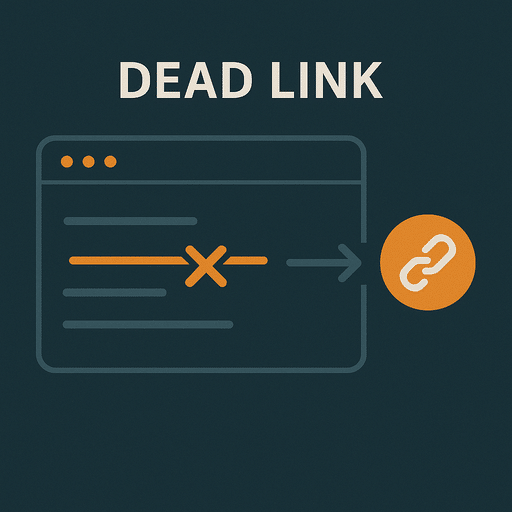
Dead links, also known as broken links, are hyperlinks on a website that no longer work (or ever did). When a user clicks on a dead link, they will typically be greeted by a 404 error page, indicating that the requested page cannot be found. Dead links can occur for a number of reasons, including deleted content, changed URL structures, or incorrect entry of links in the backend. While they may seem like small details, dead links can have a significant negative impact on both the user experience and your search engine rankings. You can read about CRO here.
What is a dead link?
A dead link is a hyperlink that points to a page that no longer exists or is accessible. It can be both internal links (links that point to other pages within your own website) and external links (links that point to other websites / external pages). When a link is dead, the user typically receives an error message indicating that the page could not be found. This affects the user experience, hurts your conversion rate and affects your search engine rankings.
Common causes of dead links:
- Deleted content: If a page has been removed from your website without being redirected.
- Changes in URL structure: If the URL of a page changes but the internal links are not updated accordingly or redirected.
- Incorrect URL: An incorrectly entered URL, such as a misspelling in a link, can lead to an error page.
- External pages close: If you link to an external page that closes or changes their URL without a redirect.
Why are dead links a problem?
Dead links can have a significant negative effect on both the user experience, your conversion rate, and your search engine ranking.
- Bad user experience
When users click on a dead link and land on a 404 error page, it can create frustration and cause them to leave your website.
- Negative SEO effects
Google and other search engines prioritize usability and content relevance when ranking websites. Dead links can hurt your rankings in several ways:
- Crawl inefficiency: Search engines crawling your website can get “trapped” in dead links, making it harder for them to index all of your content effectively. Read more about crawl budget here.
- Credibility: A website full of dead links can be perceived as poorly maintained, which can affect your overall rating.
- Internal link structure: Dead internal links can affect the way link value (link juice) flows through your website, meaning important pages may not receive enough value.
How to identify dead links
Identifying dead links can seem like a challenging task, especially on larger websites, but there are several methods and tools you can use to find and fix them.
- Using tools
There are many tools that can help you find dead links. These tools crawl your website and identify all links that lead to a 404 error page or cannot be accessed through other error codes:
- Google Search Console: A free tool from Google that gives you reports on the health of your website, including any 404 error pages. (Most often, Google Search Console doesn’t catch all dead links).
- Screaming Frog SEO Spider: A popular tool that can crawl your website and find dead links, both internal and external. (This is a recommended method as you ensure the tool crawls all pages).
- Ahrefs: This tool also offers a report of dead links on your website and can help identify both internal and external links that are not working.
How to fix dead links?
Once you have identified dead links on your website, the next step is to fix them. There are several ways to fix the problem, depending on the cause of the dead link.
- Redirect dead pages
If a page has been deleted or moved, you should create a 301 redirect from the old URL to the new page. A 301 redirect tells both search engines and users that the original page has permanently moved to a new address.
- Fix incorrect URLs
If a dead link is due to a spelling error in the URL, you can simply update the link to the correct address.
Although a 301 redirect technically solves the problem, we recommend that you change to the correct URL wherever possible, as this provides the best conditions for search engines to crawl your website.
Preventing dead links
While it’s impossible to completely eliminate the risk of dead links, there are several methods you can use to minimize their occurrence and ensure your website remains healthy.
- Regular maintenance
Use tools like Google Search Console and Screaming Frog to regularly scan your website for dead links. The sooner you spot them, the less damage they can cause.
- Automated controls
Set up automated systems that continuously monitor your website and notify you when a dead link is detected. This can save time and ensure that your website is always up to date. If you use WordPress, there are several plugins for this.
- Use redirects correctly
Any time you change a page’s URL or remove content, you should make sure that the proper redirects are set up to prevent dead links (or, best of all, fix them directly).
Dead links can hurt both your SEO and user experience, but with regular maintenance and the right tools, you can minimize their impact. Be sure to identify and fix dead links quickly to ensure your website is optimized for both search engines and visitors.
