
Price Drop Trigger
Abandoned cart is one of the most effective email marketing automations that you can set up as an ecommerce business. Klaviyo has launched Price Drop Trigger in their product launch. You now have the option to use price drops within a given period as a trigger for your automated mailings.
In practice, this means that if a user has either viewed a product or started checkout with a specific product at price X, and the price within X days by / Y (% or kroner), the user will automatically receive a unique email and personal email.
You now have the opportunity to send highly personal and relevant emails with savings on exactly the products the user has shown interest in.
As always, Klaviyo has made it efficient and intuitive to create the new flow and trigger.
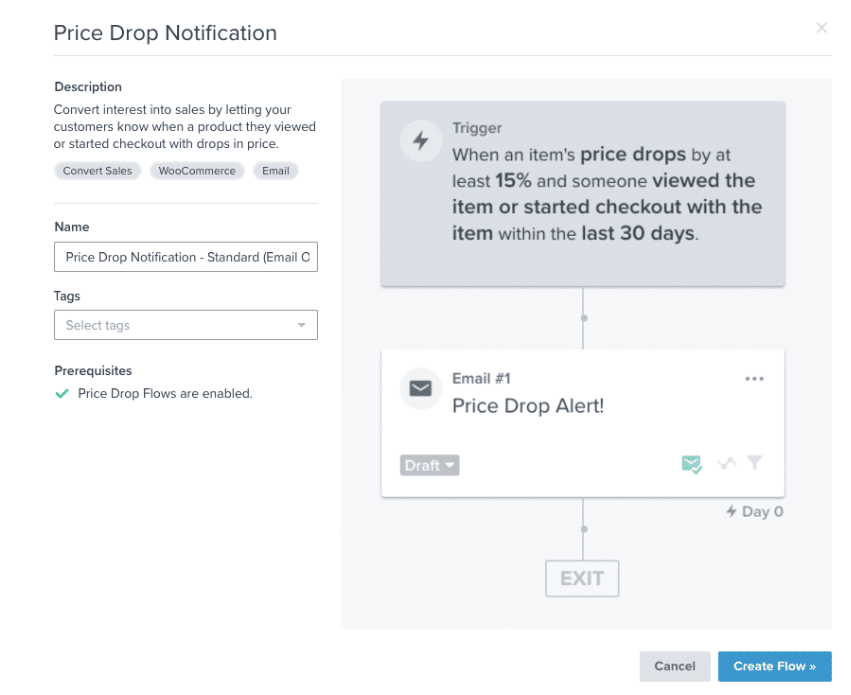
You choose when the user should receive the email. At the same time, Klaviyo will automatically filter out people who have purchased the product or seen the product for the first time at the reduced price.
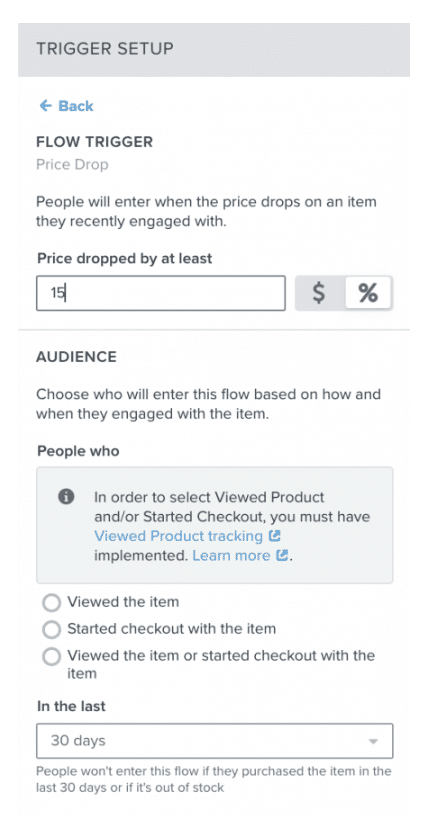
To use the above automation, you of course need to have a 100% optimized feed with correct prices and savings that are updated regularly.
Multi-Step Forms
If you are currently using Klaviyo Signup forms, you may have missed the opportunity to get more information about your users without having them go through a long and confusing form. Klaviyo has launched Multi-Step Forms, which in its simplicity means that the user will be able to go through multiple steps. This can be made more user-friendly for users to enter more information.
The user does not need to go through the entire form, as information after each step is automatically updated on their Klaviyo profile.
The function can primarily be used for:
- Get more information about your users – A multi-step form gives users a greater incentive to enter additional information in step 2 such as (birthday, gender, interests, etc.)
- Collect permission for both email and SMS – After a user has given permission for you to send them emails, you can next ask if they also want you to contact them via SMS.
Below is Klaviyo’s example of how multi-step forms work and how to collect permission to send both email and SMS in the same form.
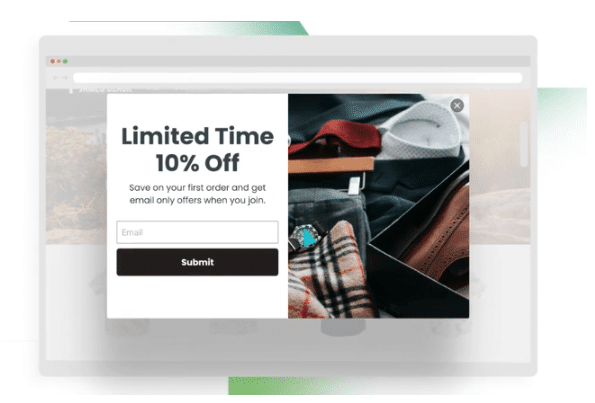
*Step 1 (E-mail)
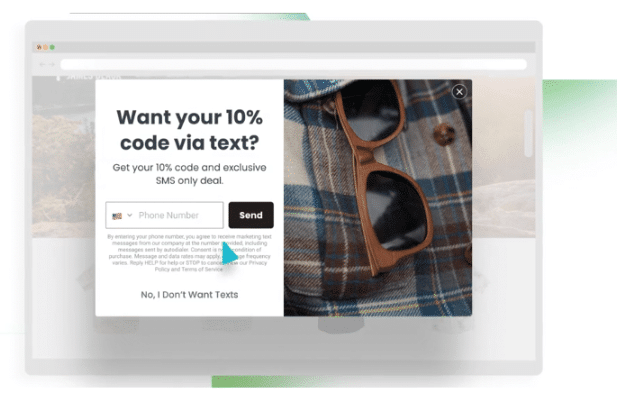
*Step 2 (SMS)
Klaviyo SMS (update)
During the product launch, Klaviyo also made updates to one of their existing features (SMS marketing). SMS marketing has previously been a feature reserved for the US and Canada, but they are now opening it up to the UK.
If you are present in the UK market, this is good news for you. If, like many, you are only in the Danish market, Klaviyo mentioned that they are working on opening the feature to other markets. Unfortunately, when Denmark will be available is not known.
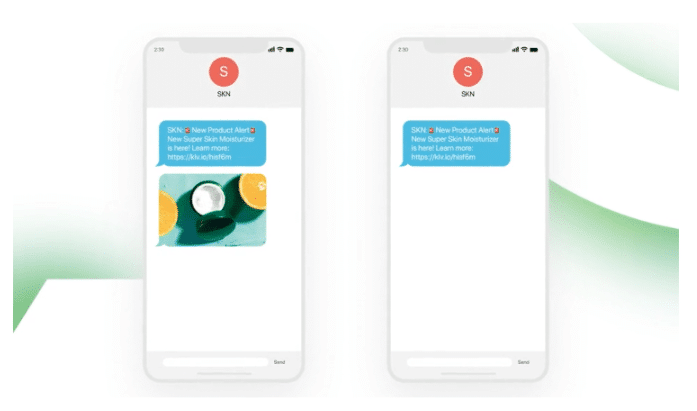
In addition to the news of opening in the UK market, Klaviyo came out with A/B split testing in SMS campaigns (this feature is on the way).
When this feature launches (soon), you will be able to test different messages or test your messages with or without an image.
Reports Library
The last and fourth news from Klaviyo’s product launch was the Reports Libary. Klaviyo is extremely skilled at making it intuitive and efficient to create campaigns and analyze data. This has only become even easier with their new Report Libary. At the time of writing, Klaviyo has created 35 reports that you can pull out with a few clicks.
The reports allow you to find data that you wouldn’t necessarily have looked at yourself, and they can therefore help you optimize your email marketing performance.
Below is an excerpt from the Reports Library:
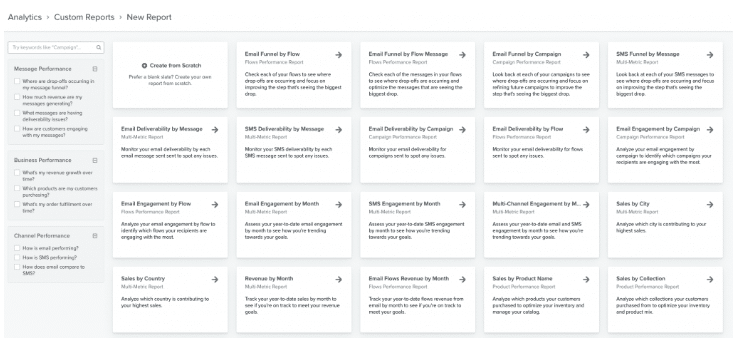
Reports you can pull include:
- Activity or sales per city / country
- Flows/campaigns that generate the most activity or sales
When you pull a Custom report from the Reports Library, you have the option to edit and tailor it to suit your purpose and set-up.
Klaviyo is constantly developing new features and improving existing ones. If you want to see the full product launch from Klaviyo, you can watch it here.